How to sell digital products on Pinterest in 2026 (the exact 6-pin system I use)
Still working out what to sell? Grab my free digital products checklist and get your first product decided, built and ready to pin.
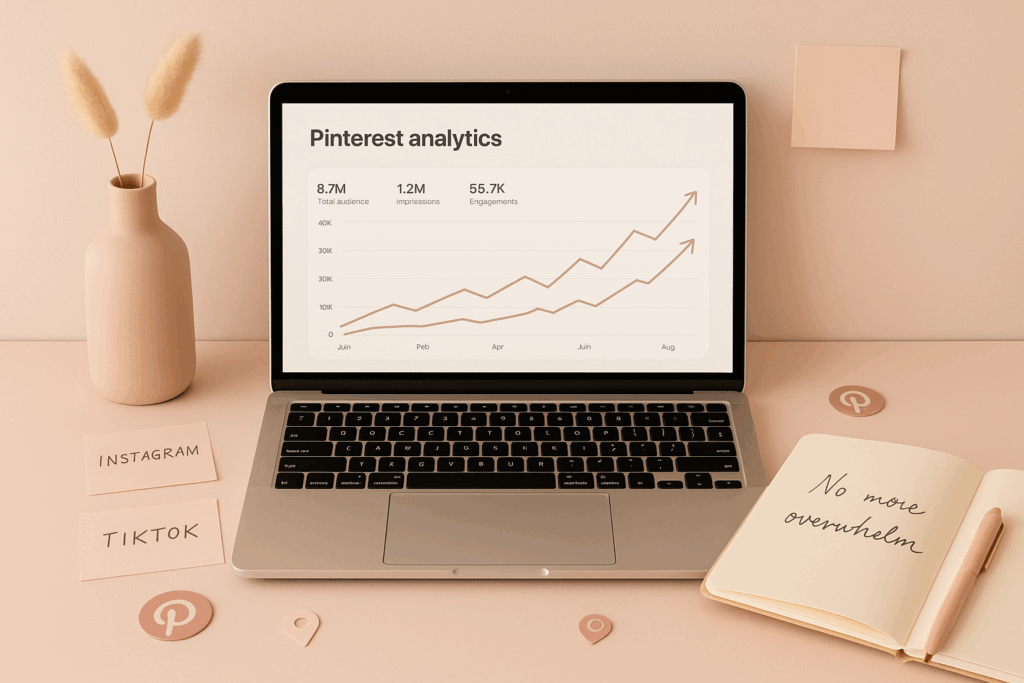
Pinterest made me over $103,000 selling digital products, without running Pinterest ads, without going viral, and without worrying about followers.
I'm going to give you the exact system I use to do this, with just six different types of pins, batched and scheduled once a month.
I also created Pin Perfection, my AI Pinterest marketing system that will literally write all of your pins for you. It comes up with the ideas, writes the titles and descriptions, and gives you the links to send them to. It's the quickest shortcut to making sales on Pinterest. But everything you need to do it yourself is in this post, so take your pick.
Most people won't admit that selling digital products is only easy once you understand how to promote them. If you don't, you'll find yourself posting every day on Instagram, or three to five times a day on TikTok, and getting absolutely nowhere. You're gonna feel burned out. You're gonna feel overwhelmed. You're gonna feel like you wanna give up. I felt those exact things until I found Pinterest, and it absolutely changed the game.
So let's get straight into it. I don't wanna dilly dally around.
What you'll learn in this post
- Why Pinterest works so much better than Instagram and TikTok, and how much longer your content lasts
- Whether you really have to post every day
- How to find the exact keywords your buyers are typing in
- The 6-pin system, the actual method, step by step
- Where your pins should send people so the traffic turns into sales
- What a realistic 90-day timeline looks like
- How to hand the whole thing to a VA
To sell digital products on Pinterest, treat it as a search engine, not a social platform. Set up a business account, research the exact words your buyer types into the search bar, then create six different types of pins for every product, blog post and freebie. Batch them and schedule them once a month, so you're pinning daily without ever touching the app, and send every pin to a page that actually sells something. Pins keep working for 6 to 12 months, so the traffic compounds instead of disappearing.
Why does Pinterest work so much better than Instagram and TikTok?
Instagram and TikTok do work. Plenty of people sell on them. But they cost you something Pinterest doesn't, and if you don't want to post on social media every day, that cost is the whole problem.
Pinterest isn't a social media platform. It's a search platform. That one shift in thinking makes all the difference.
Think of Pinterest like a giant library full of solutions. People don't come to Pinterest to scroll or to be entertained. They come because they're looking for an answer to something in their life. So they walk up to the librarian, which is the Pinterest search bar, and they type in exactly what they need.
Pinterest's entire job is to go through the library and pull out the books, which are the pins, that most closely match the words that person just typed in.
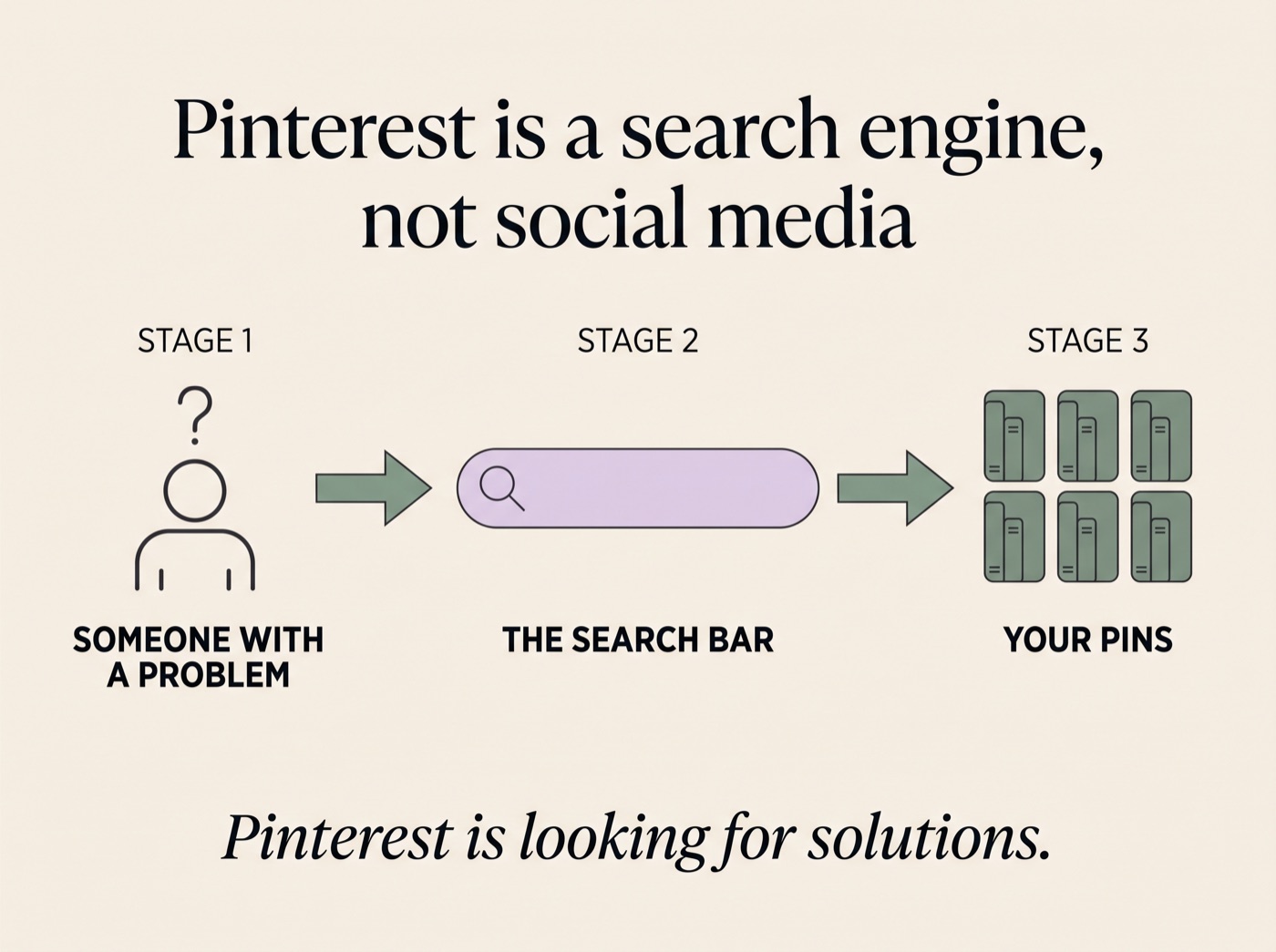
It's not looking for viral content. It's not looking for pretty content. It's not looking for trending audio. Pinterest is looking for solutions.
This is exactly why Pinterest converts so much better. People aren't scrolling, they're searching. They already have intent. They already want help. They're already ready to click.
Your content lasts months instead of hours
This is the part nobody weighs up properly, and it's the real argument.
| Platform | How long one post keeps working |
|---|---|
| 6 to 12 months, often longer | |
| 24 to 48 hours | |
| TikTok | 24 to 72 hours |
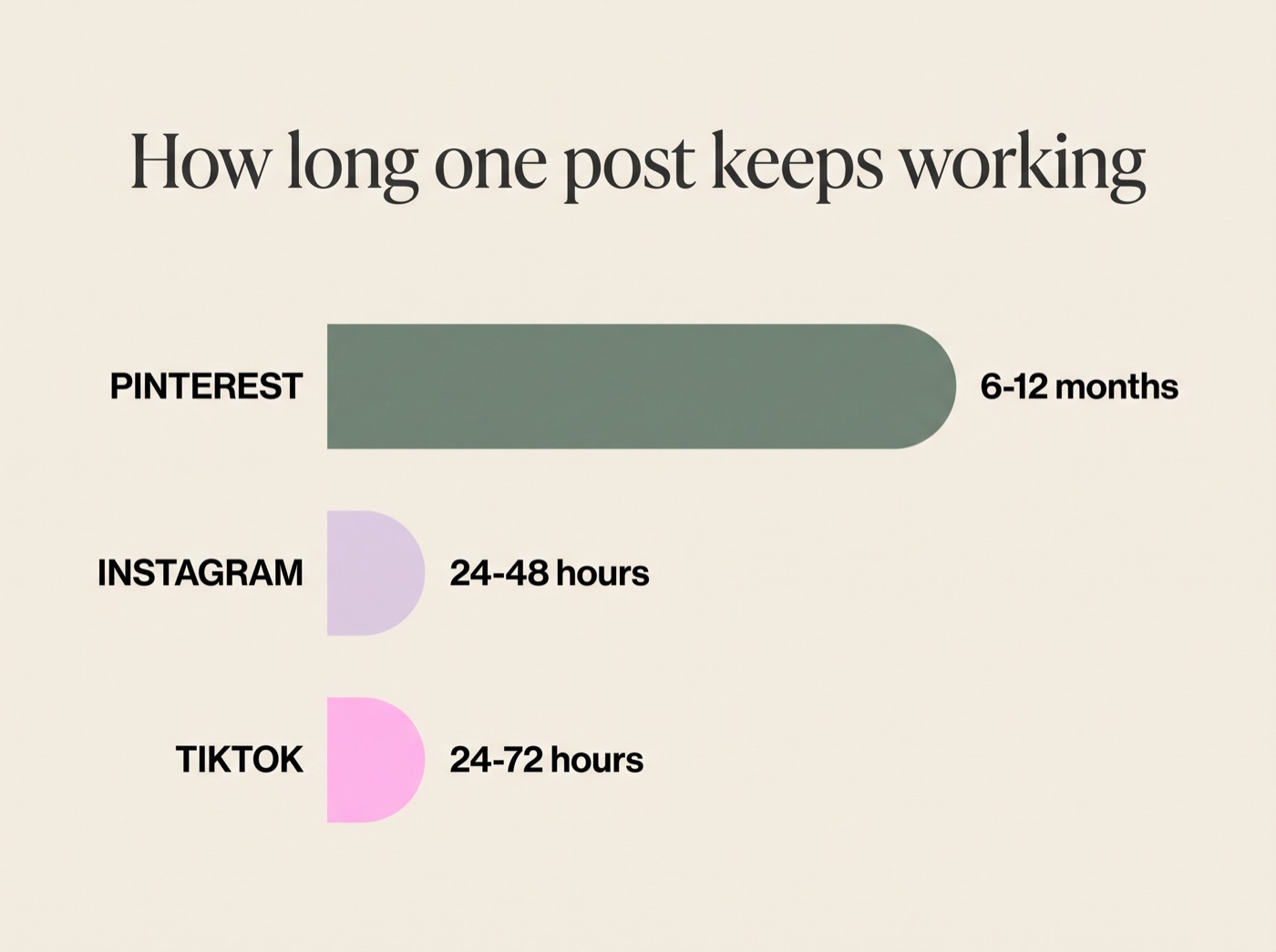
One pin can still be sending you buyers next summer. An Instagram post is finished by Thursday.
So on Instagram and TikTok you're renting your traffic. You stop posting, it stops. On Pinterest you're building an asset that keeps paying out after you've stopped touching it.
The algorithm on TikTok is like a hungry beast you have to feed five times a day, and before you know it, you're burnt out. Posting multiple Reels a day, getting no likes, no sales, and no follower growth. It's demoralising. It makes you feel like you're shouting into the void.
Pinterest just doesn't have burnout. It just doesn't have burnout like the other platforms, because you don't have to create as much and you can repurpose it over and over. It's the same reason I was able to make my first £16,000 without using social media at all.
Do I have to post on Pinterest every day?
Yes and no, and this is where people get confused.
You do need pins going out daily, because Pinterest rewards consistency and fresh content. But you don't have to be in the app every day, and you're not creating every day either.
What you're actually doing is batching. You sit down once a month, make your pins in one go, schedule the whole month out, and then leave it alone.
That's the difference. On Instagram, showing up every day means creating every day. On Pinterest, showing up every day means sitting down once a month.
Once a month. That's the entire time commitment.
How do you find the right keywords?
Keywords are everything on Pinterest. It's a search engine, so the words you use decide whether anyone ever sees your pin.
Start in the search bar. Type in what you sell, something like "digital products to sell", and look at the suggestions that drop down. Those are real searches from real people, handed to you for free.
Then look at the coloured keyword bubbles under the search results. That's Pinterest telling you what people search alongside your term.
Where to pull from:
- The Pinterest search bar autofill
- The keyword bubbles under search results
- Pinterest Trends for what's climbing now
- The "Keywords Everywhere" Chrome extension
One thing that matters more than it used to: multi-word searches on Pinterest are up 2.4x. People search in full sentences now, the way they search Google. So "digital product ideas for beginners" will do more for you than "digital products".
The 6-pin system
Here's the part that does the work. For every single thing you want traffic to, whether that's a product, a blog post or a freebie, you make six different types of pins, not one.
Six different angles, six different headlines, six different images, all pointing to the same place. You have no idea which one is going to land, and Pinterest is happy to show all six to different people.
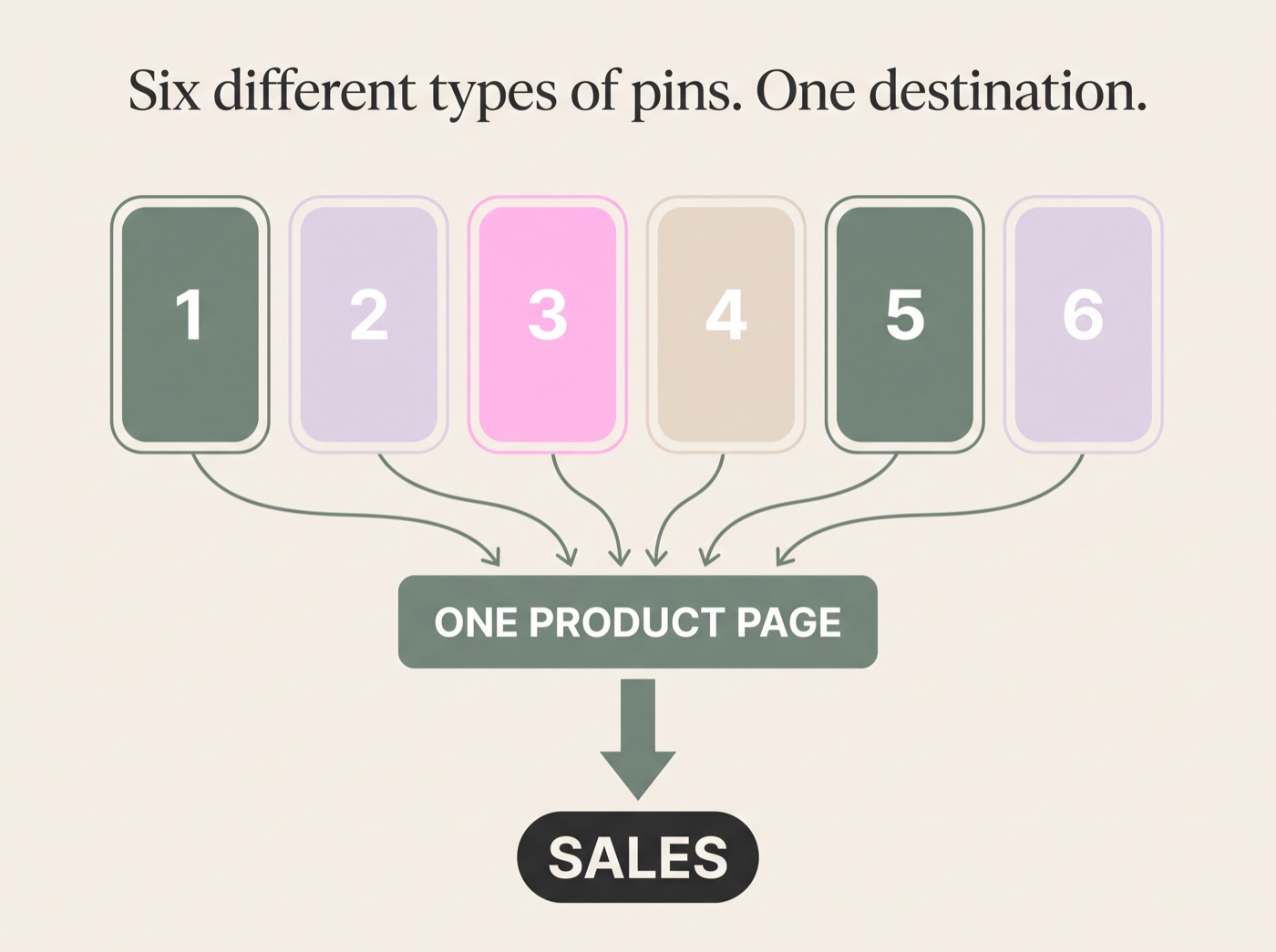
Here's how I do it:
- Pick your destination. One product, one blog post or one freebie. Just one.
- Write six different headlines for the same thing. Different angles, different hooks. One leads with the outcome, one with the problem, one with a number.
- Grab your images from Canva. I search something like "natural hair, black woman", click see all, and then I just drag and drop photos. Like it's that easy.
- Add your scroll-stopping text. All you need is some good scroll-stopping, juicy onscreen text where you tell them what they're gonna get when they click.
- Write the description with your keywords in. Not stuffed, just used naturally.
- Schedule the whole month out so they don't all land at once, then close the app.
These six pins probably took me about five minutes to do. That's genuinely how long it takes once your templates are set up. Do that for a handful of products and you've filled a month of pinning in an afternoon.
Do this, not that: go and look at what's already ranking for your keyword and mirror the vibe. Do not copy it. This is really important. Do not copy it. We're not here to copy other people's work, but we want to mirror the vibe.
A warning on AI, because I can't tell you how much content I see on Pinterest that's just been created with a standard ChatGPT, and is quite AI generated, and just content that doesn't sound good. Your pin descriptions need to sound like you, not like a robot. Pinterest users can tell, and so can buyers.
This is the bit that takes people the longest, so I'll say it again. I created Pin Perfection, my AI Pinterest marketing system, and it will literally write all of your pins for you. It comes up with the pin ideas, writes the titles, writes the descriptions, and gives you the links to send them to, all of it in your own voice, plus the 15 Canva templates I build these pins in. It's the quickest shortcut to making sales on Pinterest.
Where should your pins actually send people?
This is where most people lose the money, and it's the mistake I made for ages.
If every pin points at a freebie or a blog post that doesn't sell anything, you'll get lovely traffic numbers and no sales. Traffic that lands somewhere with no next step is just a nice-looking number.
Split your pins roughly like this:
- Product pages for the pins where someone's clearly ready to buy
- Blog posts that link to a product for the ones still researching
- Freebies to build your email list, because email is the most profitable channel you'll ever have
Every one of those needs to lead somewhere. A blog post with no product link on it is a dead end with good SEO. If you want to go deeper on making the click itself happen, I broke down the four things that make a pin get clicked in a separate post.
What does a realistic Pinterest timeline look like?
I'm not going to pretend this is instant, because it isn't.
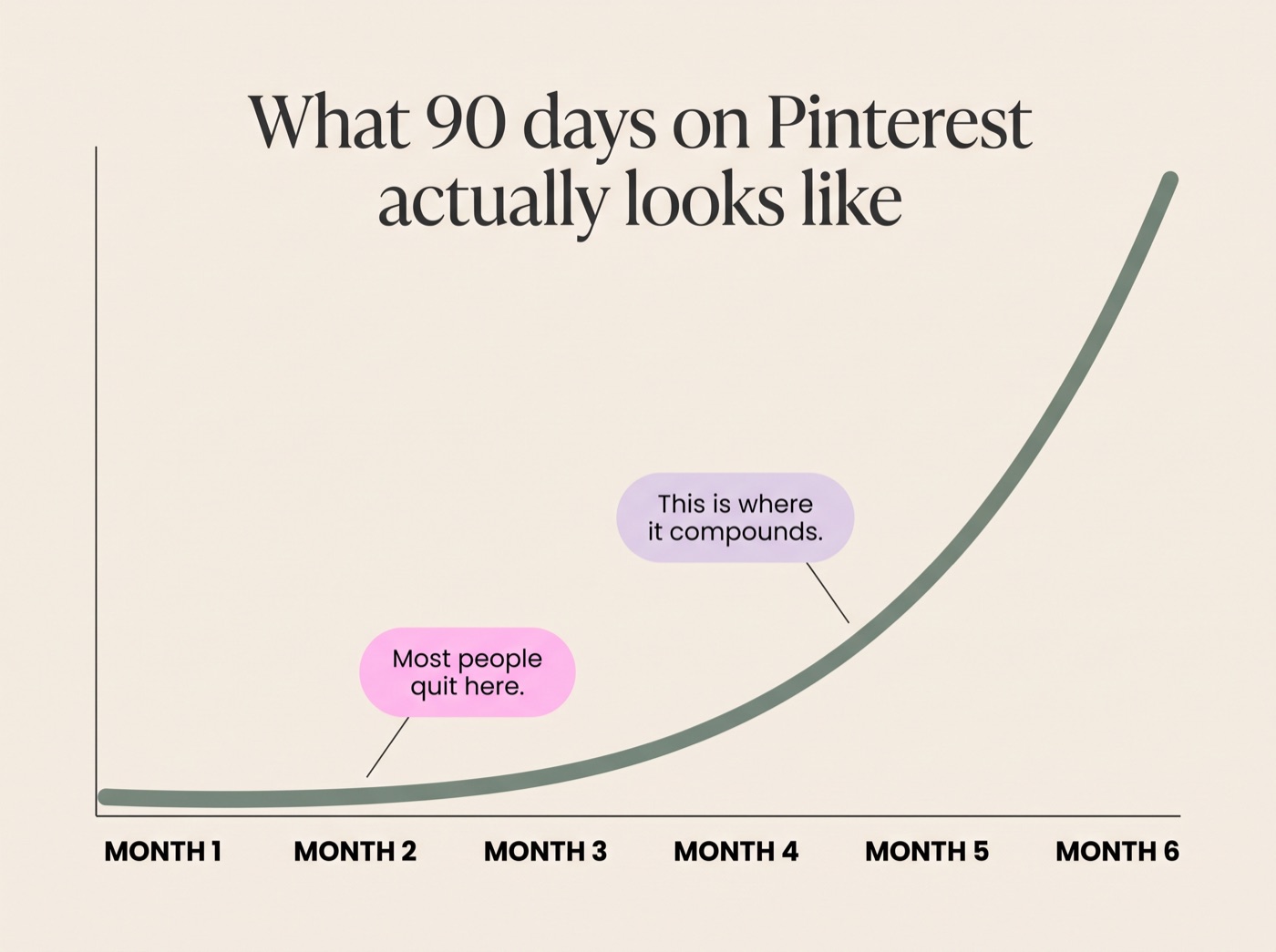
Pins take around 2 to 3 months to properly index. This is not a post-for-a-week-and-get-rich platform. This is a compound effect platform. The more you pin consistently, the more traffic you get over time. People who quit after 2 weeks never see results. People who commit to 90 days build traffic machines.
For most accounts actually doing the work, meaningful outbound clicks show up around month 3 or 4, and climb from there.
And if that feels like a long time, compare it to your 9 to 5. How long would it take you to get a promotion and earn even a little more money at work? Usually a lot longer than three months. If you can spend three months building something that has the potential to change your life, and I mean I literally quit my job because of this, that feels like a fair trade to me.
Can you outsource this?
Yes, and honestly you should as soon as you can afford to.
In time I really would love you to give this job to a VA. You create the sheet with your links and your keywords, and your VA goes and creates your pins and uploads them. It's a super easy way to get traffic to your digital products without you having to do too much.
That's the point of building it as a system rather than a habit. Systems can be handed over. Habits can't.
So, to wrap this up
Here's everything in one place:
- Pinterest is a search engine, not social media. People arrive already looking for a solution, which is why they convert.
- Your pins last 6 to 12 months, against 48 hours on Instagram. You're building an asset, not renting attention.
- You pin daily, but you don't create daily. Batch and schedule once a month, then leave it alone.
- Keywords decide everything. Pull them from the search bar autofill and the keyword bubbles, and write in full sentences.
- Six different types of pins per destination, not one. Six angles, six images, one link.
- Send pins somewhere that sells. A blog post with no product link is a dead end.
- Give it 90 days. It compounds. The people who quit at two weeks never see it work.
Start with one product and six pins this week. That's it. That's the whole first step.
Skip the part where you write six headlines for every product
You can absolutely do all of this yourself. Everything I use is in this post.
But if you'd rather not do any of it yourself, that's exactly why I built my AI Pinterest marketing system. It will literally write all of your pins for you. It comes up with the pin ideas, writes the titles, writes the descriptions, and gives you the links to send them to. Plus the 15 Canva templates I make my pins with and the keyword tracker I plan them in. It's the quickest shortcut to making sales on Pinterest.
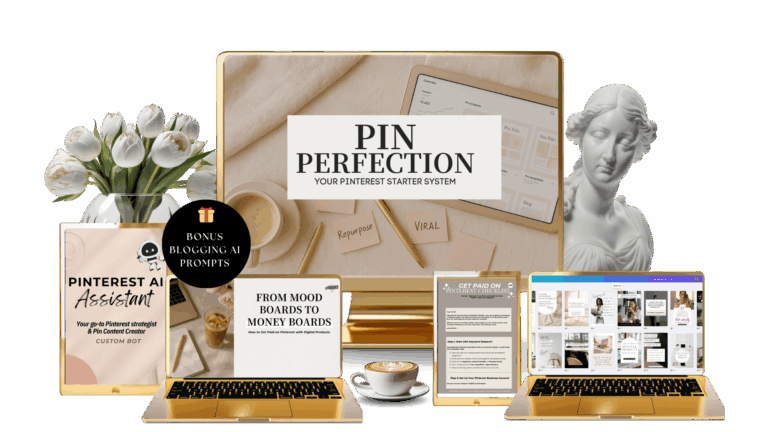 Try Pin Perfection →
Still working out what to sell? Grab the free digital products checklist.
Frequently asked questions
How many pins should I post a day?
Aim for 3 to 6 fresh pins a day, scheduled in advance. You're not making six pins a day, you're batching once and spreading them out.
How long before Pinterest starts driving traffic?
Give it 90 days minimum. Pins take 2 to 3 months to index, so anything for Q4 needs pinning by the end of September.
Do I need a big following on Pinterest?
No. Pinterest serves pins on keyword match and pin quality, not follower count. That's why it works when you're starting from nothing.
Can I sell digital products on Pinterest without showing my face?
Yes. Pinterest is one of the most forgiving platforms for faceless content, because the pin does the work, not your face.
Do I need Pinterest ads?
No. Everything in this post is organic.
How much can you actually make on Pinterest?
Pinterest has made me over $103,000 selling digital products. It took consistent pinning over a long period, not a viral moment.
What should I pin if I only have one product?
One digital product gives you six product pins, several blog posts and a freebie, and each of those gets its own six pins. One product is plenty to start.
Rochelle
I got out of corporate selling digital products with AI, and Pinterest is a huge part of how I do it without living on social media. Now I teach you the Soft Life CEO way to do the same. more about me →